InstaBud 2.0: Redesigning Property Inspections for Homeowners
Property Tech
Mobile App
2024

After hurricanes and other natural disasters, homeowners are left dealing with more than just the aftermath—they’re stuck navigating insurance claims. Filing claims triggers contractors or adjusters to assess the damage, but the process was far from smooth.
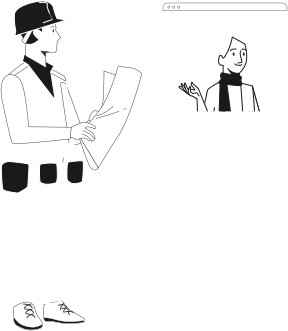
Contractors either had to guide homeowners remotely, which often led to frustrating communication gaps and delays, or conduct on-site visits, which was resource-intensive.
With InstaBud 2.0, the goal was to:
My Role
As the Lead Designer, I was tasked with overhauling the entire app. But here, I’ll focus on the interior capture experience. My goal was to simplify the process for homeowners while maintaining data accuracy and minimizing back-and-forth with contractors.
Collaboration with the Xceedance team was key for this. Their expertise in damage claims provided critical insights into user pain points, shaping the design to address real-world challenges effectively.
The Users: Who Were We Designing For?
The app catered to two primary user groups:

Homeowners:
Typically unfamiliar with inspections, they needed an app that felt intuitive and error-proof, even for first-time users.

Contractors & Adjusters:
These professionals relied on accurate data on the damages incurred to minimize back-and-forth communication with homeowners and reduce on-site visits.
Balancing these needs was critical in creating a seamless, user-friendly solution.
Our founder’s vision? To create
Homeowner capturing their room layout
The Challenges We Tackled
Through workshops and feedback sessions with the Xceedance team, we pinpointed the following pain points:
Many users struggled to understand how to capture layouts or document damages accurately.
Contractors often faced delays caused by incomplete or unclear data submissions.


Homeowners frequently forgot key areas, like doors and windows, or submitted poorly lit, low-quality images.
AR features relying on LiDAR sensors excluded users with older phones, necessitating alternative solutions.

These insights informed every design decision, ensuring the app was both accessible and precise.
Redesigning the Inspection Flow
Our redesign focused on breaking the process into clear, guided steps tailored to homeowners with no prior inspection experience.
Before getting started with the first step, users are required to point their phone down at the floor and steadily trace a circular path in order to calibrate the AR session. This was where we encountered our first challenge - different users interpreted these instructions differently.

Interpretation #1
Change the phone orientation to face the floor and then trace a circular path.

Interpretation #2
Continue to hold the phone vertically and trace a circular path around the bottom axis.

Interpretation #3
Point down at the floor but physically move around in a circle.
To reduce errors at this point, we looked at narrowing down the instructions provided to the user as well as providing visual cues in the form of animated GIF's like the one's seen above. Post successful floor detection, users could move on on to the first step of room layout capture.
STEP #1
Room Layout Capture:
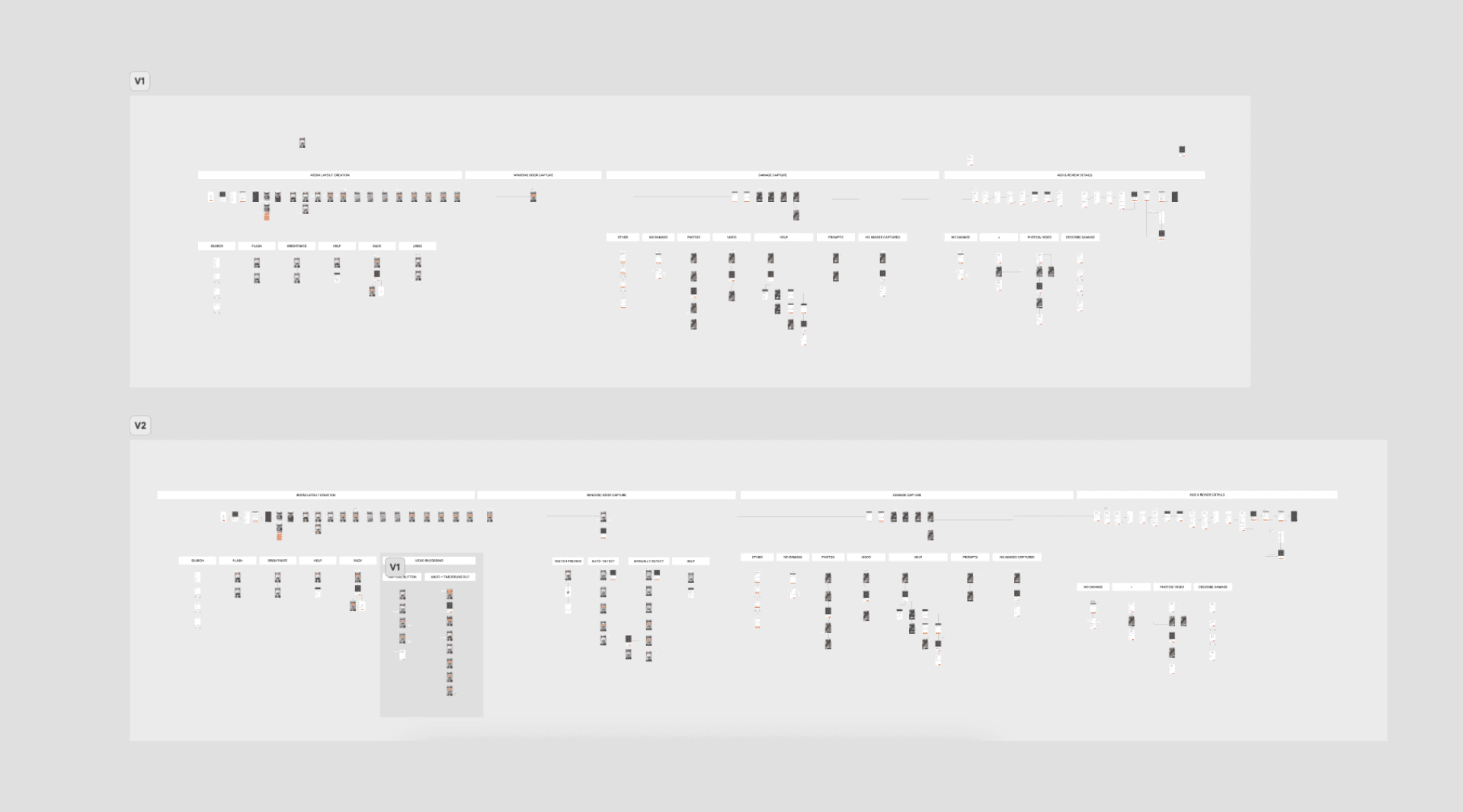
Homeowners were guided to capture walls and ceilings, generating 2D/3D sketches of the space. A video recording feature allowed contractors to go back and review any missed details.
STEP #2
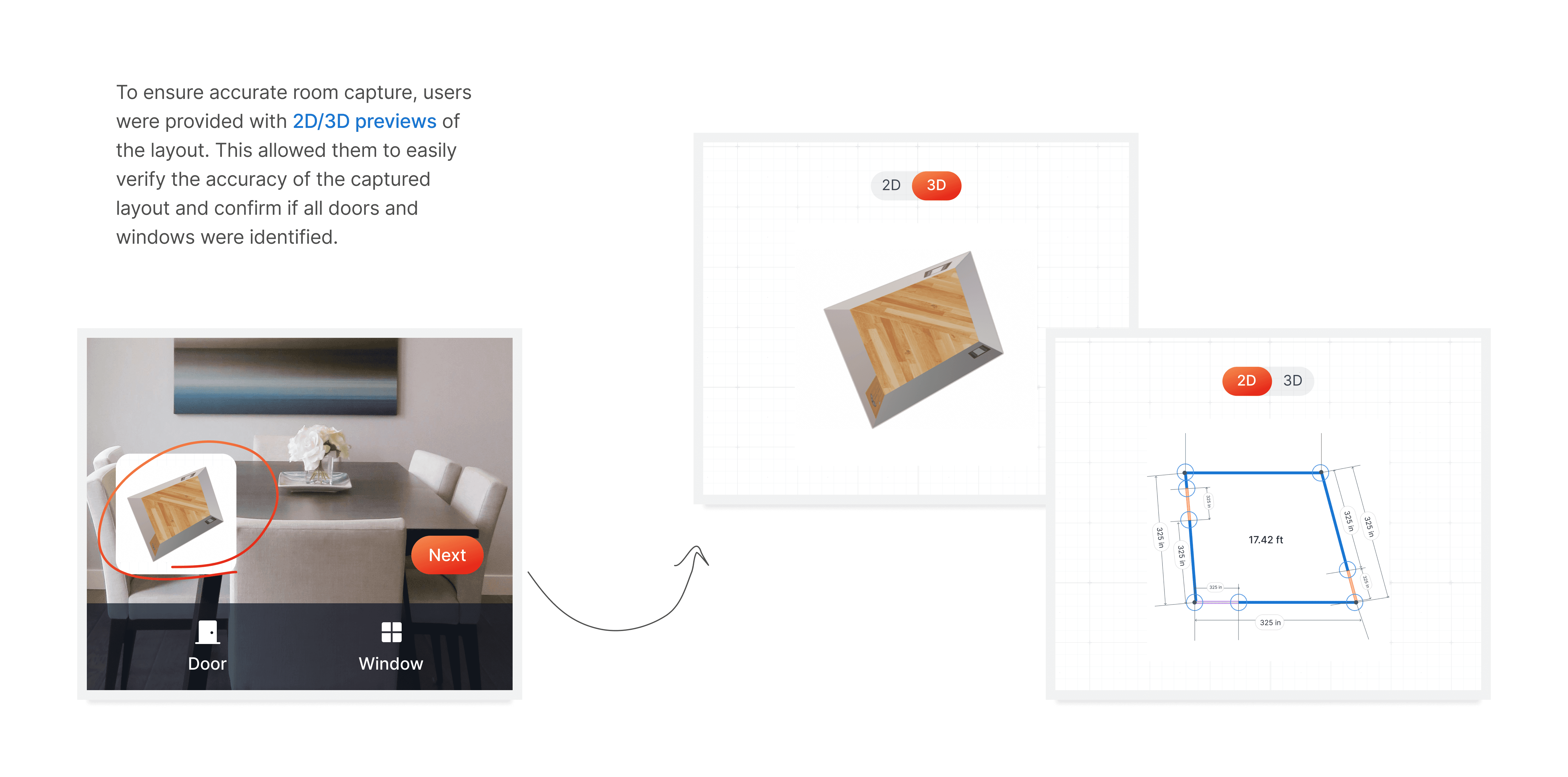
Door/Window Capture
This optional step ensured overlooked areas like doors and windows were included.
STEP #3
Damage Capture
Users could photograph and mark damaged areas, ensuring all relevant details were documented.
STEP #4
Add & Review Details
Homeowners could review and add comments related to the captured space. Conditional logic streamlined this step by displaying only relevant questions based on previous inputs, minimizing user overwhelm.
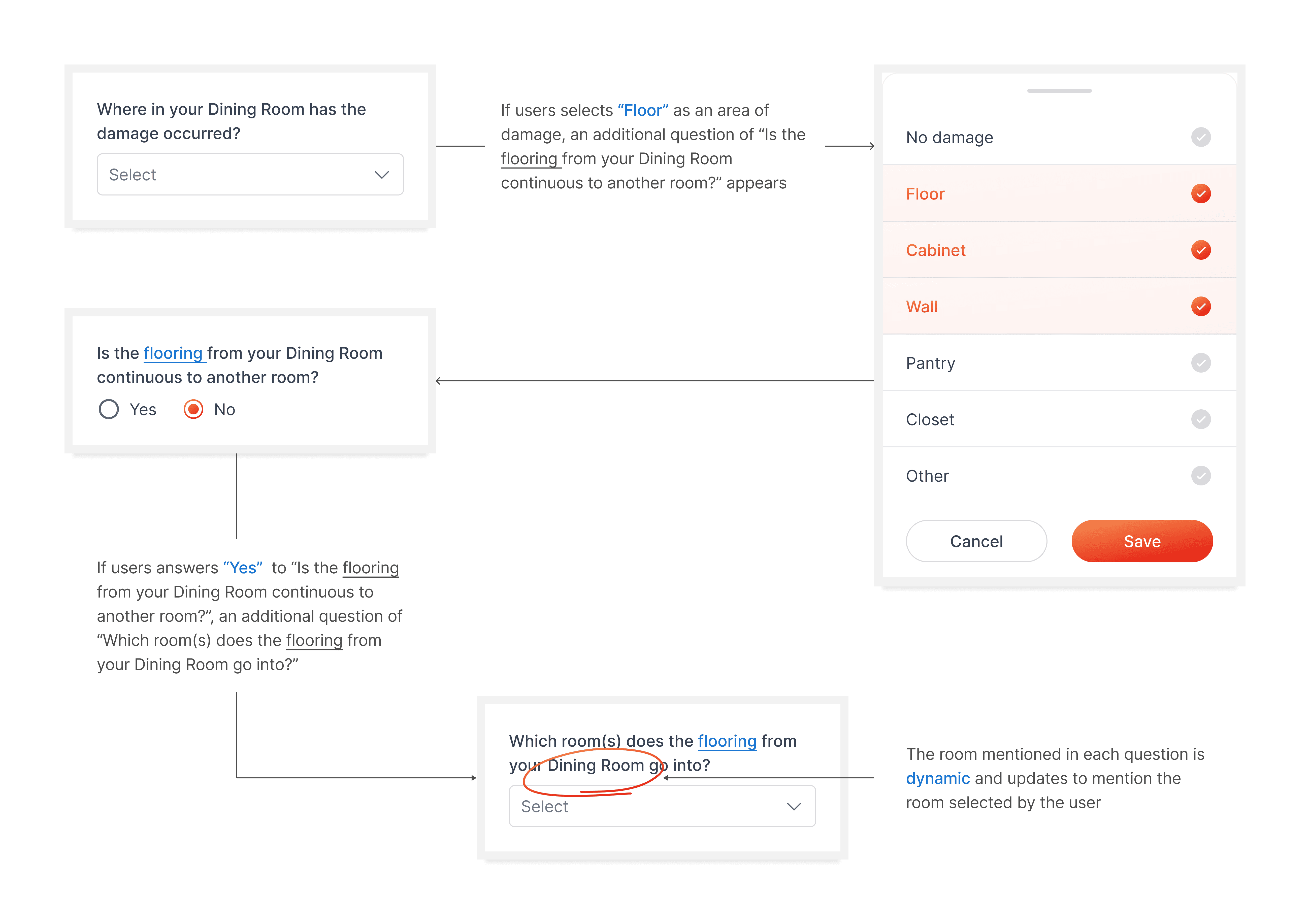
Conditional logic based questions on the Add & Review screen
Post saving the captured space, users were nudged to capture additional spaces based on their inputs on the add & review screen. This was to reduce missing essential additional data required by contractors when flooring or damages continued on to other rooms.
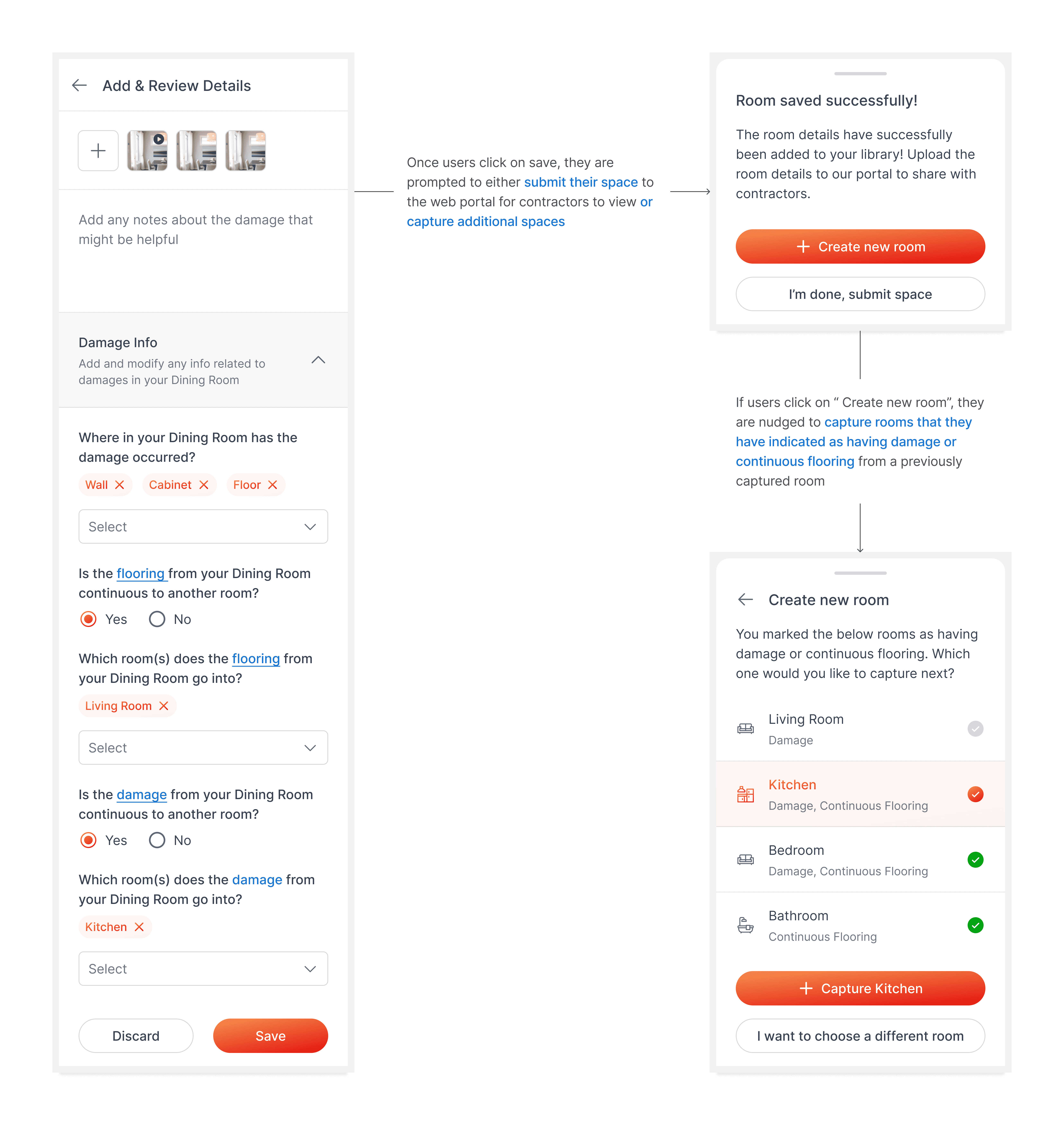
Nudge to capture additional spaces
Collaboration & Feedback Loops
Throughout the process, regular collaboration with the Xceedance team was invaluable. Weekly feedback sessions helped refine the app’s flow, ensuring homeowners could navigate it with ease while contractors received actionable, accurate data. These iterative improvements bridged the gap between user needs and technical constraints.
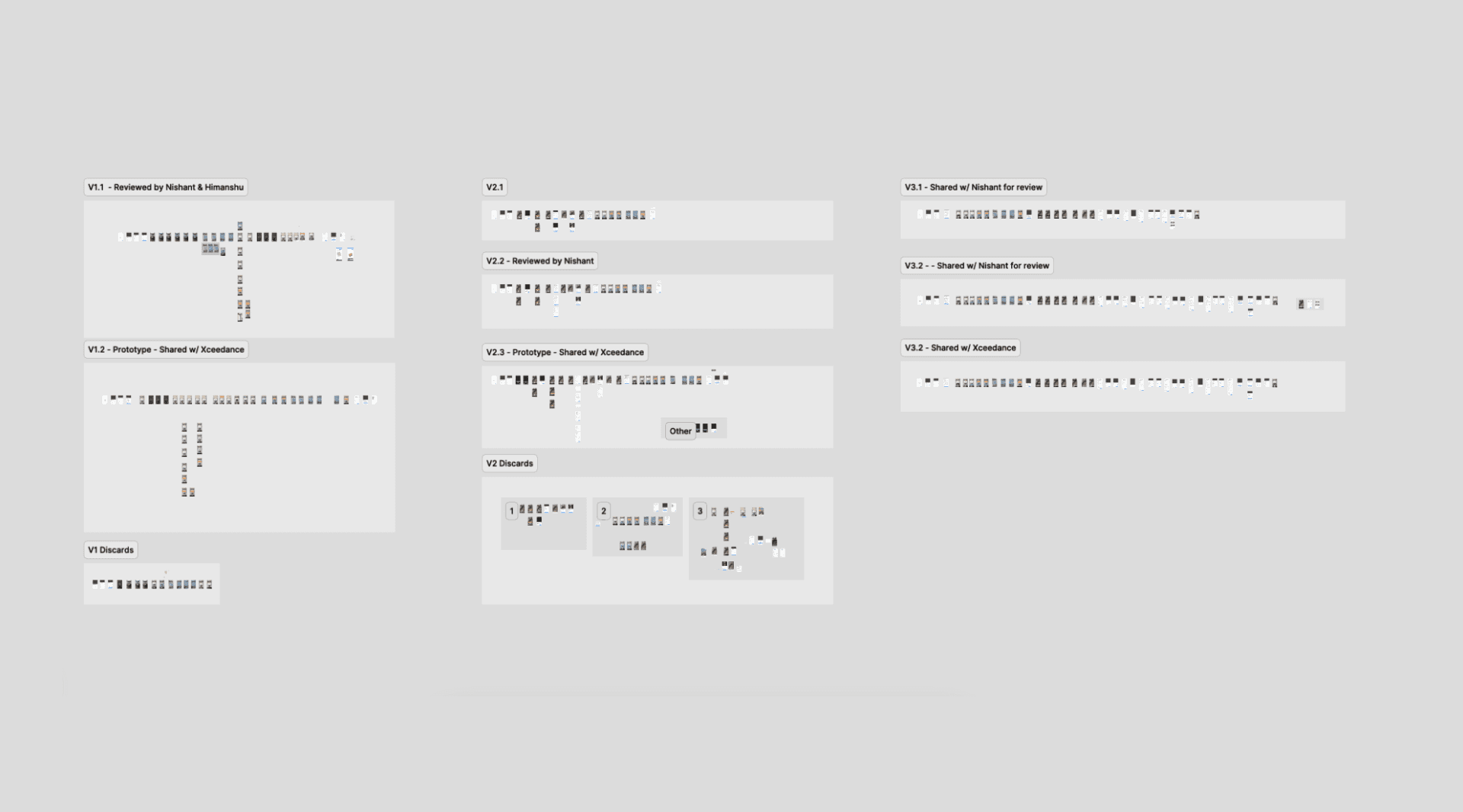
Design Sprint with the Xceedance Team
Key Wins
Validated Success: InstaBud 2.0 secured a major million dollar contract with Xceedance, replacing their previous inspection methods and expanding its user base significantly.
New Opportunities: InstaBud's success in the Property Claims space led to additional opportunities in the Automobile Sector prompting the creation of spin-off apps, namely InstaBud Auto, Lite and more.
White-label Solutions: Partnership with Xceedance led to contracts with other providers in the insurance space, prompting the creation of white-label solutions for these platforms.
Accurate, Actionable Data: Contractors received complete, detailed data, reducing time spent clarifying submissions.
What’s Next?
InstaBud 2.0 laid a strong foundation, but there’s room to grow:
Tablet Optimization: Many U.S.-based users prefer tablets for inspections, making this a key focus for future iterations.
Full Home Capture: Connecting room scans into a comprehensive floor plan for better property insights.
Haptic Feedback: Adding tactile cues like vibrations and audio prompts to enhance user interaction.